
Making a mood board is a great way to boost creativity and see your ideas come to life. It’s a tool I’ve used for years, and it’s been a game-changer for designers, artists, and anyone seeking inspiration. By picking out images, colors, and textures, you can turn your ideas into a visual guide.
I begin by figuring out the theme or idea I want to explore. Then, I collect images and elements that match it. This helps me clear my thoughts and understand the look I’m going for. Whether you’re making a mood board for a project or just to spark your creativity, this guide will show you how to do it.
Key Takeaways
- Learn how to define a theme or concept for your mood board
- Discover how to curate images and elements that inspire you
- Understand the importance of visual representation in the creative process
- Get tips on how to create a mood board that sparks creativity
- Find out how to use your mood board as a guide for your projects
What is a Mood Board?
A mood board is a visual way to show a concept or theme. It’s a great tool for creating a certain mood or atmosphere. This is useful in design, art, and fashion.
A mood board can be simple or detailed, depending on the project. It helps gather and organize ideas and references into one visual statement. This is very helpful at the start of a project to set the tone and look.
Definition and Purpose
A mood board shows a mood, atmosphere, or style with images, colors, textures, and text. It acts as a visual guide for creative projects. It helps capture the project’s aesthetic and emotional tone, making it easier to share your vision.
The purpose of a mood board changes based on its use. In design and art, it sets the color palette and visual style. In fashion, it defines the style and look of a clothing line.
Types of Mood Boards
Mood boards come in different types, based on how they’re made and used. The main types are digital mood boards and physical mood boards.
- Digital mood boards are made with software or apps. They’re easy to edit and share. Tools like Pinterest, Canva, and Adobe Spark are popular for this.
- Physical mood boards use images, fabrics, and other materials on a board. They’re great for hands-on creative work.
Both digital and physical mood boards have their benefits. The choice depends on personal preference, the project’s nature, and the desired outcome. As someone who uses digital tools a lot, I often prefer digital mood boards for their ease and flexibility.
Why I Use Mood Boards
Mood boards are key in my creative work. They help me see and shape my ideas. A visual board lets me grasp the look and feel of my project.
I use mood boards to spark creativity. When I’m stuck, they kickstart my imagination. For example, a mood board with a calm landscape or a lively city can inspire me.
Spark Creativity
Mood boards let me explore mood board inspiration from various sources. I gather images, colors, and textures that match my project. This helps me find patterns and themes, sparking new ideas.
Organize Ideas
Mood boards also help me organize my ideas. By arranging elements visually, I see how they fit together. This makes my project cohesive and well-thought-out.
| Benefits of Mood Boards | Description |
|---|---|
| Spark Creativity | Stimulate imagination and inspire new ideas |
| Organize Ideas | Visually arrange elements to ensure cohesion |
| Visualize Projects | Bring projects to life with concrete visuals |
Visualize Projects
Mood boards help me visualize my projects. Seeing elements come together helps me predict their harmony. For instance, a mood board with mood board examples can show me a desired outcome, like a stunning room or ad.
Using mood boards ensures my projects are well-planned and visually stunning. They help me convey my message effectively.
The Tools I Use for Creating Mood Boards
To make mood boards that inspire, I mix modern digital tools with classic techniques. This mix lets me try out different styles and keep my mood boards fresh and engaging.
Digital Tools
Digital tools have changed how I make mood boards. Apps like Canva and Adobe Creative Cloud let me design and edit mood boards fast. Canva, in particular, has many mood board templates I can customize.
I love how digital tools make sharing and working together easy. For example, I can share a digital mood board with clients or colleagues for feedback. This makes the design process more interactive.
Traditional Tools
Even with digital tools, I enjoy using traditional materials for mood boards. Working with paper, glue, and fabric is satisfying. Traditional tools let me be more hands-on with my creativity.
Using traditional tools helps me focus on the creative process. It’s a way to brainstorm and visualize ideas in a more organic way.
Favorite Apps and Websites
Some of my top digital tools for mood boards include:
| Tool | Description | Features |
|---|---|---|
| Canva | A graphic design platform | Mood board templates, drag-and-drop editor |
| Adobe Creative Cloud | A suite of creative applications | Photoshop, Illustrator, advanced editing features |
| A visual discovery and planning website | Image collection, inspiration boards |
These tools are key to my mood board making. They help me create digital mood boards that are both beautiful and effective.
How I Gather Inspiration for My Mood Boards
My journey with mood boards starts with finding inspiration everywhere. I look for ideas and elements to bring my vision to life. This is the first step in creating a mood board.
Sources of Inspiration
I find inspiration in nature, art, and design. A walk in the woods can inspire a color palette. A visit to an art museum can influence textures and patterns in my mood board.
- Nature: Landscapes, flowers, and colors
- Art: Paintings, sculptures, and installations
- Design: Architecture, interiors, and fashion
Other creatives also inspire me. A photographer’s use of light or a fashion designer’s fabrics can spark ideas. I believe inspiration is everywhere, and being open to new experiences is key.
Image Collection Strategies
After finding my sources of inspiration, I start collecting images. I use tools like Pinterest, Instagram, and stock photo websites to gather these images.
- Pinterest: For discovering and saving images that resonate with my mood board theme
- Instagram: For finding inspiration in the work of others and saving images to my collections
- Stock photo websites: For accessing a wide range of images that can be used in my mood boards
When collecting images, I look for a mix of textures, colors, and patterns. I choose images that evoke the feelings I want to convey in my mood board.
By combining diverse sources of inspiration with effective image collection strategies, I create mood boards that are visually appealing and rich in meaning.
Steps to Create a Mood Board
Making a mood board is a fun and personal journey. It involves defining a theme, picking elements, and arranging them. These steps help you create a mood board that inspires your projects.
Defining the Theme
The first step is to decide on a theme. This could be for a wedding, a design project, or just for fun. Knowing your theme helps you choose the right images and elements.
- Identify the purpose of your mood board
- Brainstorm keywords related to your theme
- Consider the emotions and feelings you want to evoke
Selecting Images and Elements
After setting your theme, pick images and elements that match it. This could be photos, colors, textures, or quotes. Choose things that make you feel the right way and fit your theme.
- Collect images from various sources like Pinterest, magazines, or your own photographs
- Choose colors that fit your theme and evoke the desired mood
- Consider adding textures or patterns to add depth to your mood board
As the famous designer,
“Design is not just about the aesthetic; it’s about creating an experience.”
This quote shows how important it is to pick elements that look good and feel right.
Laying Out the Design
Now, arrange your chosen elements in a way that looks good and makes sense. Try different layouts until you find one that feels right.
- Start with a central image or element that anchors your mood board
- Arrange other elements around it, balancing the composition
- Play with different sizes and orientations to add visual interest
By following these steps, you can make a mood board that inspires and guides your projects. It’s useful for design, planning events, or just for fun.
The Role of Color in My Mood Boards
The colors I pick for my mood boards are key to setting the mood and atmosphere. Color is a vital element in creating a mood board. It can either make or break the look.
Choosing a Color Palette
Choosing colors for my mood boards means thinking about the theme and the emotions I want to share. I start with a core color that fits the project’s theme. Then, I add complementary or analogous colors around it.
For digital mood boards, I use Adobe Color to play with different palettes. This lets me see how colors work together and make changes as I go.
Key Considerations for a Color Palette:
- Theme relevance
- Emotional impact
- Color harmony
The Psychology of Color
Knowing the psychology of colors is key to making mood boards that work. Different colors can make us feel different ways. Knowing this helps me make better choices.
| Color | Emotional Response | Usage in Mood Boards |
|---|---|---|
| Red | Energy, Passion | Used to draw attention or evoke strong emotions |
| Blue | Calmness, Trust | Often used for projects requiring serenity or professionalism |
| Green | Nature, Growth | Commonly used for eco-friendly or health-related themes |
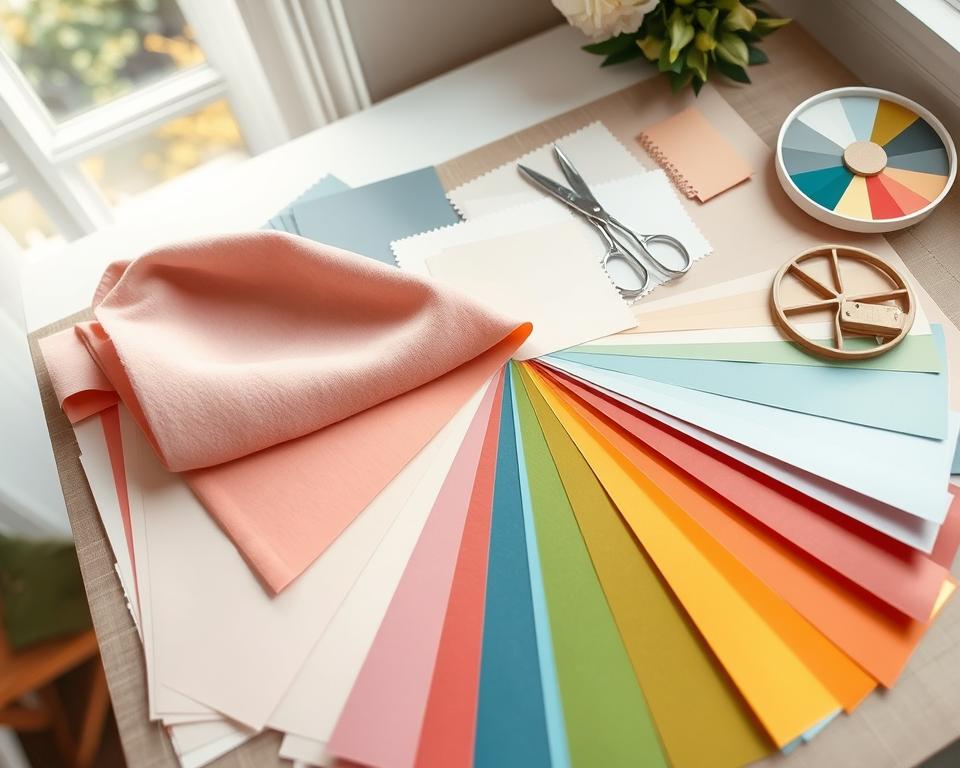
By picking colors wisely and knowing color psychology, I make mood boards that look good and get the message across.
Incorporating Text into My Mood Boards
Text is key in mood boards, adding depth and context to visuals. It clarifies the mood or atmosphere, making the board more effective. This helps convey the overall vision clearly.
Text can range from simple captions to inspirational quotes. Each type enhances the visuals. Thoughtful text integration makes the mood board cohesive and impactful.
Fonts and Typography
Choosing the right font is critical in mood boards. Different fonts evoke different emotions and moods. For example, a bold, sans-serif font works well for modern looks, while elegant serif fonts suit classic styles.
Trying out various typography adds interest. Mixing font sizes and styles highlights key elements or quotes. This makes the mood board more dynamic.
Quotes and Captions
Quotes and captions add context to mood boards. A well-chosen quote can capture the mood or theme, giving instant insight. Captions provide specific details about the images or elements.
It’s important to keep text concise and relevant. Too much text can clutter the board, reducing its impact. Balancing text with visuals creates a mood board that’s both informative and visually appealing. It serves as a great mood board inspiration and provides useful mood board examples.
How I Use My Mood Boards
My mood board helps me guide my design projects to a clear goal. It keeps me focused on the project’s look and direction.
As I work on my design, my mood board is always there. It makes sure every part fits the original idea. This is key for big projects with lots of parts.
Guiding Design Projects
My mood board is key in making design choices. It shows me the right colors, fonts, and images for the project’s feel and style.
For example, when picking images or textures, I check the mood board. This keeps the design on track and avoids changes from the original plan.
| Design Element | Mood Board Influence | Project Outcome |
|---|---|---|
| Color Scheme | Defines the palette | Cohesive visual identity |
| Typography | Guides font selection | Consistent tone and style |
| Imagery | Influences image choice | Aligned visual elements |
Sharing with Collaborators
I share my mood boards with my team to get their thoughts. This way, we all know what we’re aiming for.
When they see the mood board, they understand the project’s vision better. This makes our design work smoother and faster.
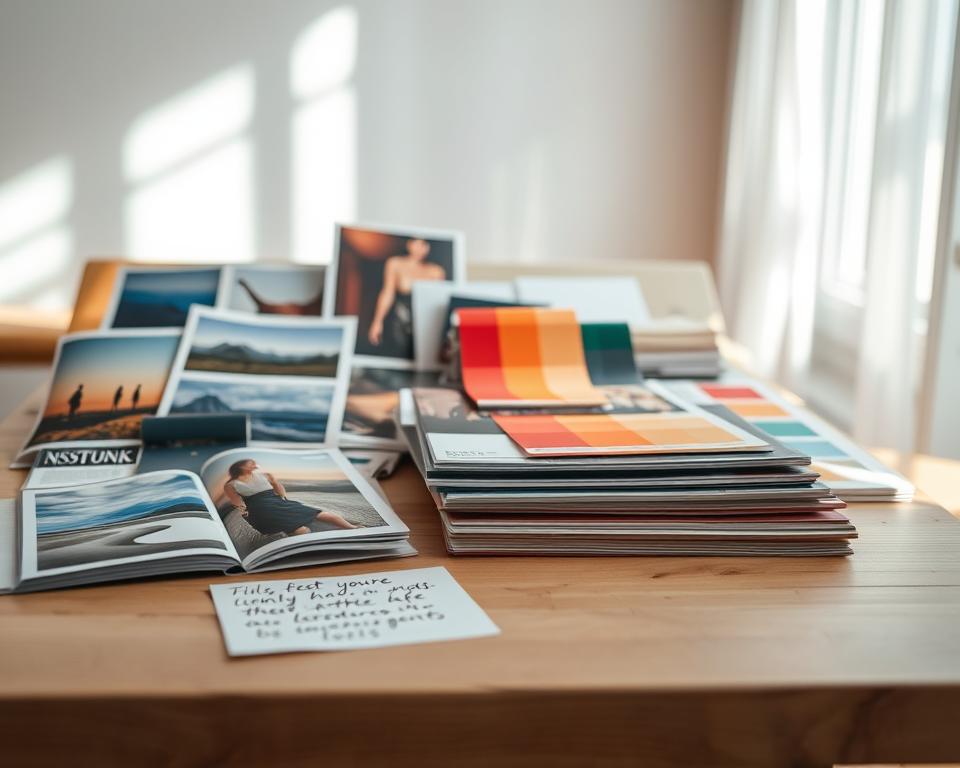
Having my mood board as a shared guide helps us get feedback and make changes. This leads to a better project outcome.
Revising and Updating My Mood Boards
Revising and updating my mood boards is key to my creative process. It helps me refine my ideas and stay focused. As projects change, my mood boards must also change to reflect new directions and insights.
Iteration is essential for creating effective mood boards. By regularly revising and updating, I keep my mood boards relevant and inspiring throughout the design process.
Importance of Iteration
Iteration is vital because it lets me refine my ideas and make adjustments as needed. According to Nielsen Norman Group, mood boards are a valuable tool for exploring and defining a project’s visual identity. Revising them is a key part of this process.
By iterating on my mood boards, I can:
- Refine my color palette and overall aesthetic
- Ensure that my mood board aligns with the project’s goals and objectives
- Make adjustments based on feedback from collaborators or stakeholders
Techniques for Revision
When revising my mood boards, I use several techniques to ensure they remain effective. One approach is to step back and evaluate the mood board as a whole. I look for areas that need improvement or refinement.
I also consider the following techniques:
| Technique | Description |
|---|---|
| Revising the Color Palette | Adjusting the colors to better reflect the project’s mood and aesthetic |
| Updating Imagery | Replacing images to ensure they remain relevant and inspiring |
| Refining Typography | Adjusting font styles and sizes to improve readability and visual appeal |
As
“The best way to get good ideas is to get a lot of ideas.”
This quote highlights the importance of iteration and experimentation in the creative process.
By using these techniques in my revision process, I create mood boards that are visually appealing and effective in guiding my design projects.
Tips for Making Effective Mood Boards
To make a mood board that truly inspires, you need to consider a few key factors. A well-crafted mood board can be a powerful tool for sparking creativity and guiding your design projects.
Key Considerations
When creating a mood board, start with a clear theme or concept in mind. This will help you stay focused and ensure your mood board is cohesive. Think about what inspires you, like a color palette, texture, or style, and use that as your foundation.
Incorporating mood board ideas that resonate with your project can make your mood board more effective. Choose images and elements that evoke the right emotions for your design.
- Define your theme or concept clearly
- Choose images and elements that evoke the right emotions
- Use a consistent color palette or texture to tie your board together
Common Mistakes to Avoid
One common mistake is using too many images or colors, making the board look cluttered. Be selective with your elements and make sure each one has a purpose.
Another mistake is not revising or updating your mood board as your project evolves. Your mood board should reflect the current state of your project. Regularly revisit and revise it.
By following these tips and avoiding common mistakes, you can create a mood board that is not only visually appealing but also effective in guiding your design projects and sparking mood board inspiration.
Conclusion: My Mood Board Journey
Creating mood boards has changed me, unlocking my creativity and bringing my ideas to life. I’ve shared how to make mood boards, from finding inspiration to adding text and color.
Reflecting on the Process
Mood boards are now key in my creative work. They help me see my projects, organize my thoughts, and spark new ideas. By following this guide, you can make your own mood boards that inspire your design work.
Starting Your Own Journey
If you’re new to mood boards, try making one. Play with different tools and methods to find what suits you. With time, you’ll find your own style and see how mood boards boost your creativity. Start by looking into digital and traditional ways to make a mood board that shows your vision.